
Persistent memory compression system built for Claude Code.




Quick Start • How It Works • Search Tools • Documentation • Configuration • Troubleshooting • License
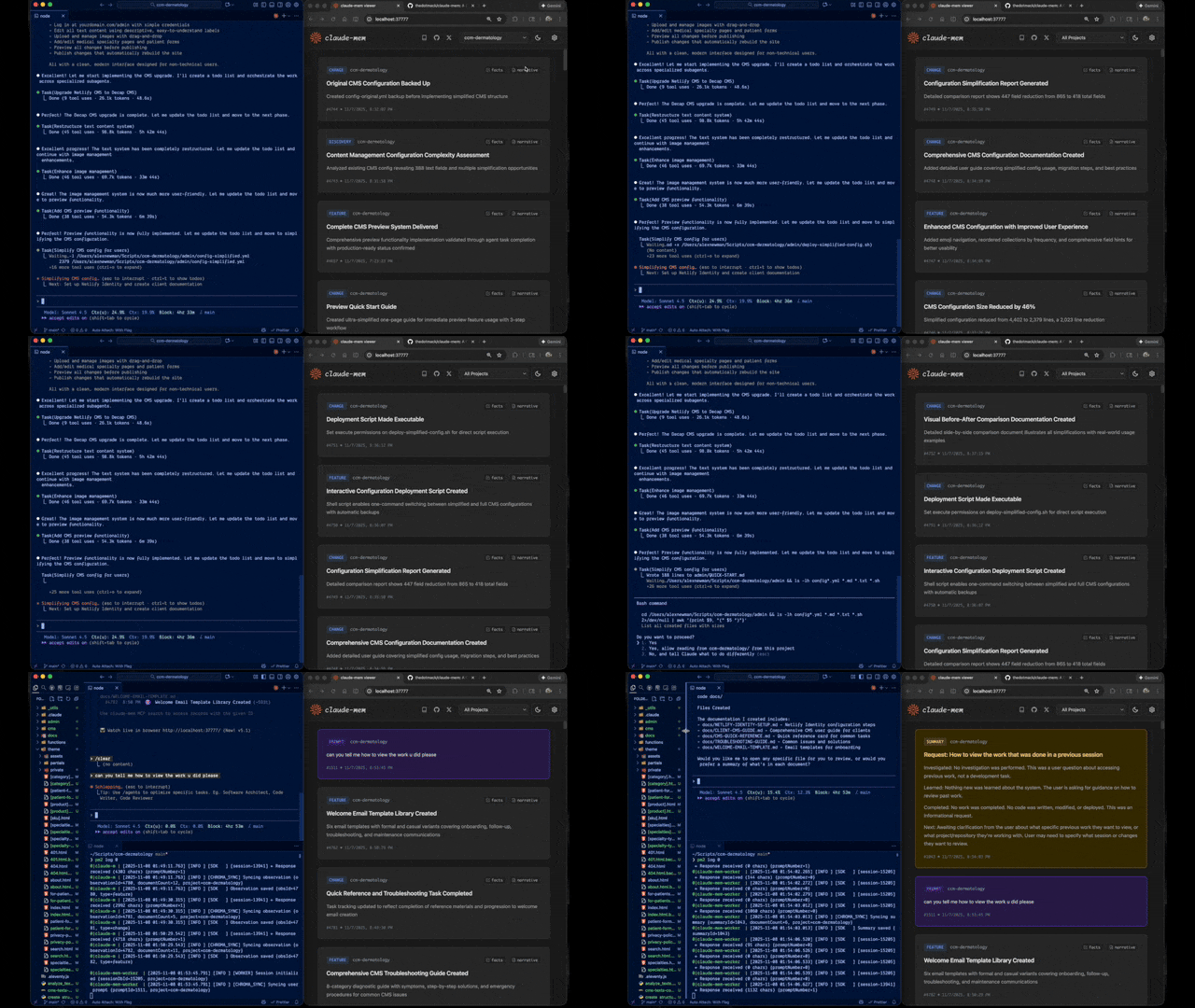
Claude-Mem seamlessly preserves context across sessions by automatically capturing tool usage observations, generating semantic summaries, and making them available to future sessions. This enables Claude to maintain continuity of knowledge about projects even after sessions end or reconnect.
Quick Start
Start a new Claude Code session in the terminal and enter the following commands:
```
/plugin marketplace add thedotmack/claude-mem
/plugin install claude-mem ```
Restart Claude Code. Context from previous sessions will automatically appear in new sessions.
Key Features:
- 🧠 Persistent Memory - Context survives across sessions
- 📊 Progressive Disclosure - Layered memory retrieval with token cost visibility
- 🔍 Skill-Based Search - Query your project history with mem-search skill (~2,250 token savings)
- 🖥️ Web Viewer UI - Real-time memory stream at http://localhost:37777
- 🔒 Privacy Control - Use
<private>tags to exclude sensitive content from storage - ⚙️ Context Configuration - Fine-grained control over what context gets injected
- 🤖 Automatic Operation - No manual intervention required
- 🔗 Citations - Reference past decisions with
claude-mem://URIs - 🧪 Beta Channel - Try experimental features like Endless Mode via version switching
Documentation
📚 View Full Documentation - Browse markdown docs on GitHub
💻 Local Preview: Run Mintlify docs locally:
bash
cd docs
npx mintlify dev
Getting Started
- Installation Guide - Quick start & advanced installation
- Usage Guide - How Claude-Mem works automatically
- Search Tools - Query your project history with natural language
- Beta Features - Try experimental features like Endless Mode
Best Practices
- Context Engineering - AI agent context optimization principles
- Progressive Disclosure - Philosophy behind Claude-Mem's context priming strategy
Architecture
- Overview - System components & data flow
- Architecture Evolution - The journey from v3 to v5
- Hooks Architecture - How Claude-Mem uses lifecycle hooks
- Hooks Reference - 7 hook scripts explained
- Worker Service - HTTP API & PM2 management
- Database - SQLite schema & FTS5 search
- Search Architecture - Hybrid search with Chroma vector database
Configuration & Development
- Configuration - Environment variables & settings
- Development - Building, testing, contributing
- Troubleshooting - Common issues & solutions
How It Works
┌─────────────────────────────────────────────────────────────┐
│ Session Start → Inject recent observations as context      │
└─────────────────────────────────────────────────────────────┘
                            ↓
┌─────────────────────────────────────────────────────────────┐
│ User Prompts → Create session, save user prompts           │
└─────────────────────────────────────────────────────────────┘
                            ↓
┌─────────────────────────────────────────────────────────────┐
│ Tool Executions → Capture observations (Read, Write, etc.)  │
└─────────────────────────────────────────────────────────────┘
                            ↓
┌─────────────────────────────────────────────────────────────┐
│ Worker Processes → Extract learnings via Claude Agent SDK   │
└─────────────────────────────────────────────────────────────┘
                            ↓
┌─────────────────────────────────────────────────────────────┐
│ Session Ends → Generate summary, ready for next session     │
└─────────────────────────────────────────────────────────────┘
Core Components:
- 5 Lifecycle Hooks - SessionStart, UserPromptSubmit, PostToolUse, Stop, SessionEnd (6 hook scripts)
- Smart Install - Cached dependency checker (pre-hook script, not a lifecycle hook)
- Worker Service - HTTP API on port 37777 with web viewer UI and 10 search endpoints, managed by PM2
- SQLite Database - Stores sessions, observations, summaries with FTS5 full-text search
- mem-search Skill - Natural language queries with progressive disclosure (~2,250 token savings vs MCP)
- Chroma Vector Database - Hybrid semantic + keyword search for intelligent context retrieval
See Architecture Overview for details.
mem-search Skill
Claude-Mem provides intelligent search through the mem-search skill that auto-invokes when you ask about past work:
How It Works: - Just ask naturally: "What did we do last session?" or "Did we fix this bug before?" - Claude automatically invokes the mem-search skill to find relevant context - ~2,250 token savings per session start vs MCP approach
Available Search Operations:
- Search Observations - Full-text search across observations
- Search Sessions - Full-text search across session summaries
- Search Prompts - Search raw user requests
- By Concept - Find by concept tags (discovery, problem-solution, pattern, etc.)
- By File - Find observations referencing specific files
- By Type - Find by type (decision, bugfix, feature, refactor, discovery, change)
- Recent Context - Get recent session context for a project
- Timeline - Get unified timeline of context around a specific point in time
- Timeline by Query - Search for observations and get timeline context around best match
- API Help - Get search API documentation
Example Natural Language Queries:
"What bugs did we fix last session?"
"How did we implement authentication?"
"What changes were made to worker-service.ts?"
"Show me recent work on this project"
"What was happening when we added the viewer UI?"
See Search Tools Guide for detailed examples.
Beta Features & Endless Mode
Claude-Mem offers a beta channel with experimental features. Switch between stable and beta versions directly from the web viewer UI.
How to Try Beta
- Open http://localhost:37777
- Click Settings (gear icon)
- In Version Channel, click "Try Beta (Endless Mode)"
- Wait for the worker to restart
Your memory data is preserved when switching versions.
Endless Mode (Beta)
The flagship beta feature is Endless Mode - a biomimetic memory architecture that dramatically extends session length:
The Problem: Standard Claude Code sessions hit context limits after ~50 tool uses. Each tool adds 1-10k+ tokens, and Claude re-synthesizes all previous outputs on every response (O(N²) complexity).
The Solution: Endless Mode compresses tool outputs into ~500-token observations and transforms the transcript in real-time:
Working Memory (Context):     Compressed observations (~500 tokens each)
Archive Memory (Disk):        Full tool outputs preserved for recall
Expected Results: - ~95% token reduction in context window - ~20x more tool uses before context exhaustion - Linear O(N) scaling instead of quadratic O(N²) - Full transcripts preserved for perfect recall
Caveats: Adds latency (60-90s per tool for observation generation), still experimental.
See Beta Features Documentation for details.
What's New
v6.4.9 - Context Configuration Settings: - 11 new settings for fine-grained control over context injection - Configure token economics display, observation filtering by type/concept - Control number of observations and which fields to display
v6.4.0 - Dual-Tag Privacy System:
- <private> tags for user-controlled privacy - wrap sensitive content to exclude from storage
- System-level <claude-mem-context> tags prevent recursive observation storage
- Edge processing ensures private content never reaches database
v6.3.0 - Version Channel: - Switch between stable and beta versions from the web viewer UI - Try experimental features like Endless Mode without manual git operations
Previous Highlights: - v6.0.0: Major session management & transcript processing improvements - v5.5.0: mem-search skill enhancement with 100% effectiveness rate - v5.4.0: Skill-based search architecture (~2,250 tokens saved per session) - v5.1.0: Web-based viewer UI with real-time updates - v5.0.0: Hybrid search with Chroma vector database
See CHANGELOG.md for complete version history.
System Requirements
- Node.js: 18.0.0 or higher
- Claude Code: Latest version with plugin support
- PM2: Process manager (bundled - no global install required)
- SQLite 3: For persistent storage (bundled)
Key Benefits
Progressive Disclosure Context
- Layered memory retrieval mirrors human memory patterns
- Layer 1 (Index): See what observations exist with token costs at session start
- Layer 2 (Details): Fetch full narratives on-demand via MCP search
- Layer 3 (Perfect Recall): Access source code and original transcripts
- Smart decision-making: Token counts help Claude choose between fetching details or reading code
- Type indicators: Visual cues (🔴 critical, 🟤 decision, 🔵 informational) highlight observation importance
Automatic Memory
- Context automatically injected when Claude starts
- No manual commands or configuration needed
- Works transparently in the background
Full History Search
- Search across all sessions and observations
- FTS5 full-text search for fast queries
- Citations link back to specific observations
Structured Observations
- AI-powered extraction of learnings
- Categorized by type (decision, bugfix, feature, etc.)
- Tagged with concepts and file references
Multi-Prompt Sessions
- Sessions span multiple user prompts
- Context preserved across
/clearcommands - Track entire conversation threads
Configuration
Settings are managed in ~/.claude-mem/settings.json. The file is auto-created with defaults on first run.
Available Settings:
| Setting | Default | Description |
|---------|---------|-------------|
| CLAUDE_MEM_MODEL | claude-haiku-4-5 | AI model for observations |
| CLAUDE_MEM_WORKER_PORT | 37777 | Worker service port |
| CLAUDE_MEM_DATA_DIR | ~/.claude-mem | Data directory location |
| CLAUDE_MEM_LOG_LEVEL | INFO | Log verbosity (DEBUG, INFO, WARN, ERROR, SILENT) |
| CLAUDE_MEM_PYTHON_VERSION | 3.13 | Python version for chroma-mcp |
| CLAUDE_CODE_PATH | (auto-detect) | Path to Claude executable |
| CLAUDE_MEM_CONTEXT_OBSERVATIONS | 50 | Number of observations to inject at SessionStart |
Settings Management:
```bash
Edit settings via CLI helper
./claude-mem-settings.sh
Or edit directly
nano ~/.claude-mem/settings.json
View current settings
curl http://localhost:37777/api/settings ```
Settings File Format:
json
{
  "CLAUDE_MEM_MODEL": "claude-haiku-4-5",
  "CLAUDE_MEM_WORKER_PORT": "37777",
  "CLAUDE_MEM_CONTEXT_OBSERVATIONS": "50"
}
See Configuration Guide for details.
Development
```bash
Clone and build
git clone https://github.com/thedotmack/claude-mem.git cd claude-mem npm install npm run build
Run tests
npm test
Start worker
npm run worker:start
View logs
npm run worker:logs ```
See Development Guide for detailed instructions.
Troubleshooting
Quick Diagnostic:
If you're experiencing issues, describe the problem to Claude and the troubleshoot skill will automatically activate to diagnose and provide fixes.
Common Issues:
- Worker not starting →
npm run worker:restart - No context appearing →
npm run test:context - Database issues →
sqlite3 ~/.claude-mem/claude-mem.db "PRAGMA integrity_check;" - Search not working → Check FTS5 tables exist
See Troubleshooting Guide for complete solutions.
Contributing
Contributions are welcome! Please:
- Fork the repository
- Create a feature branch
- Make your changes with tests
- Update documentation
- Submit a Pull Request
See Development Guide for contribution workflow.
License
This project is licensed under the GNU Affero General Public License v3.0 (AGPL-3.0).
Copyright (C) 2025 Alex Newman (@thedotmack). All rights reserved.
See the LICENSE file for full details.
What This Means:
- You can use, modify, and distribute this software freely
- If you modify and deploy on a network server, you must make your source code available
- Derivative works must also be licensed under AGPL-3.0
- There is NO WARRANTY for this software
Support
- Documentation: docs/
- Issues: GitHub Issues
- Repository: github.com/thedotmack/claude-mem
- Author: Alex Newman (@thedotmack)
Built with Claude Agent SDK | Powered by Claude Code | Made with TypeScript